

If your server won't start and the console shows something like aborting automatic restart or unable to access <name>.jar, it's almost always the startup file configuration.
Most common cause
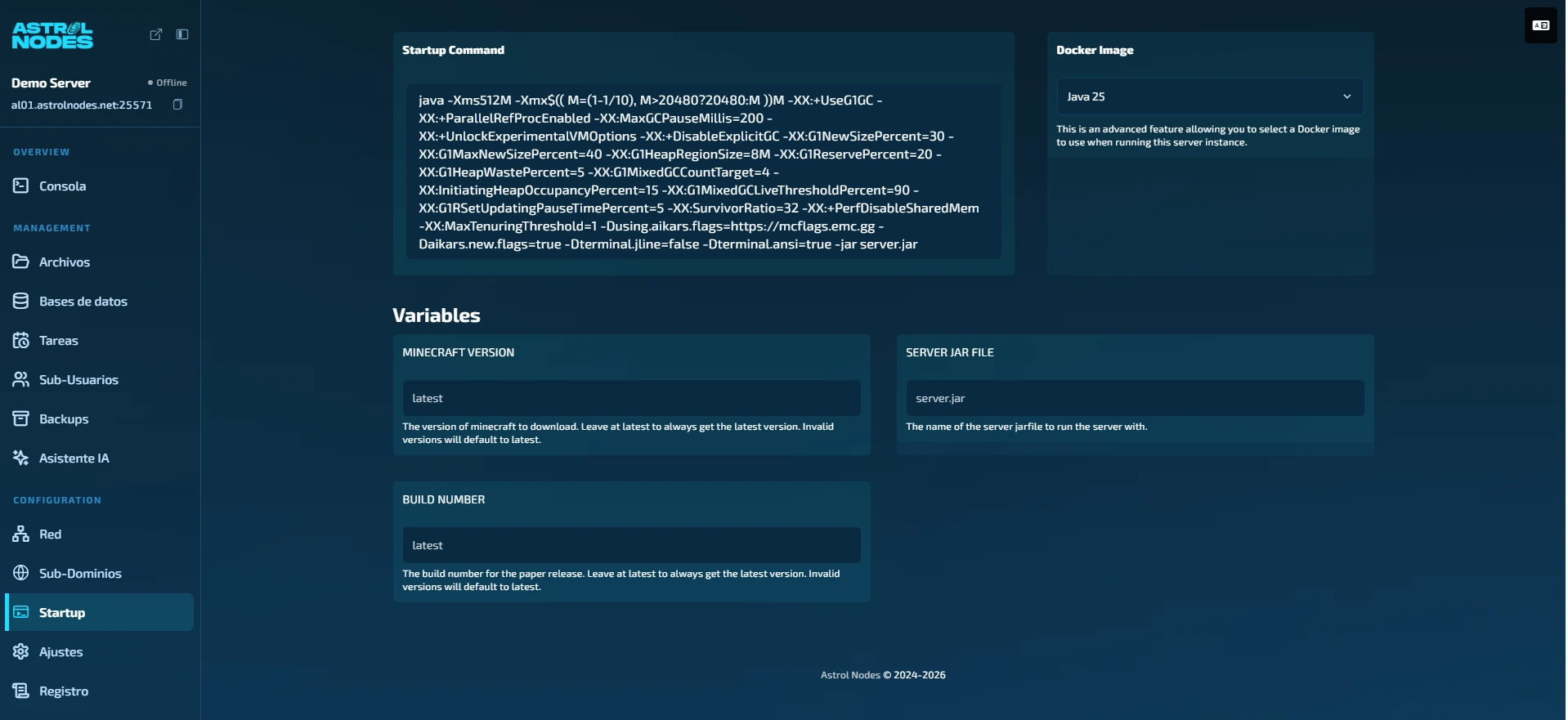
The "Server JAR File" parameter has been changed or no longer matches the real file. When that name doesn't exist, the server tries to start, fails, and aborts the automatic restart.
Step by step
- Open the panel and select your server.
- Go to the Startup tab.
- Check the "Server JAR File" field: leave it at the default value (usually
server.jar). Don't rename it. - Go back to Console and press Start.
Tip: avoid renaming the JAR parameter. If you need a different version or modloader, use the MC Version (how to change the version) instead of editing the name by hand.
Still not starting?
- Read the first red lines in the console: they usually state the reason. If it closes instantly it is almost always the Java version; otherwise an incompatible mod or a corrupt world.
- If you recently changed version, reinstall with the MC Version to the correct one.
- If nothing helps, open a ticket with a screenshot of the console and we'll check it.
Was this article helpful?
Need more help?
Open a ticket and the support team goes through it with you.