

To change the Minecraft version (or move from Vanilla to Forge/Fabric/Paper) always use the panel's MC Version. It's the safe and fast way.
Steps
- Open your server in the panel.
- Open the MC Version.
- Choose the type (Vanilla, Paper, Forge, Fabric…) and the version.
- Press Change Server Version. The server is prepared with that version automatically.
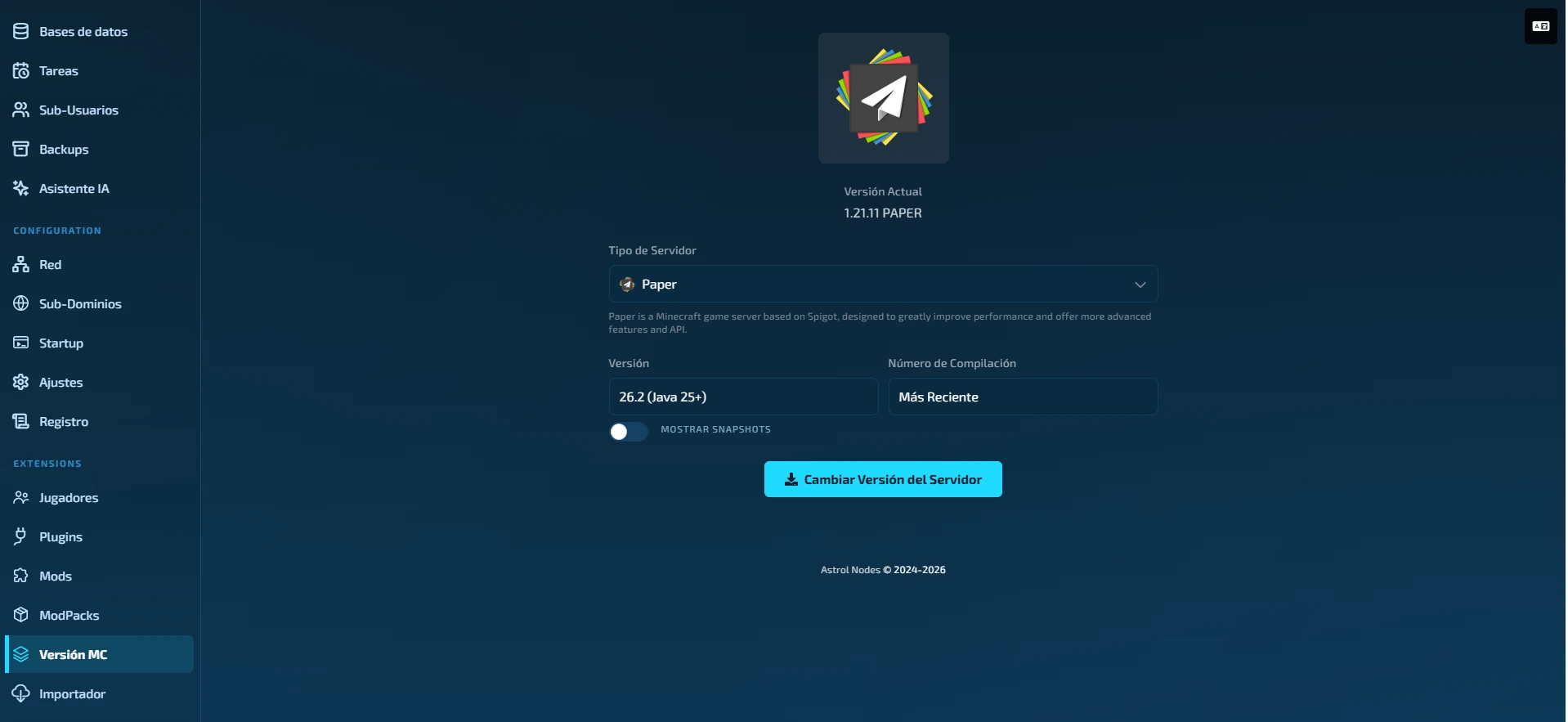
Don't use the generic "Reinstall" button to change version: it can get stuck. The MC Version is the right tool.
Before changing
- Make a backup of your world if it matters (Backups tab).
- If you downgrade, some new chunks or data may not load correctly.
- If you use mods, make sure they exist for the target version.
When it finishes, press Start and check the console.
Was this article helpful?
Need more help?
Open a ticket and the support team goes through it with you.