

To join your server you need the full address: IP:port (unless you have a dedicated IP).
Where your address is
- Open your server in the panel.
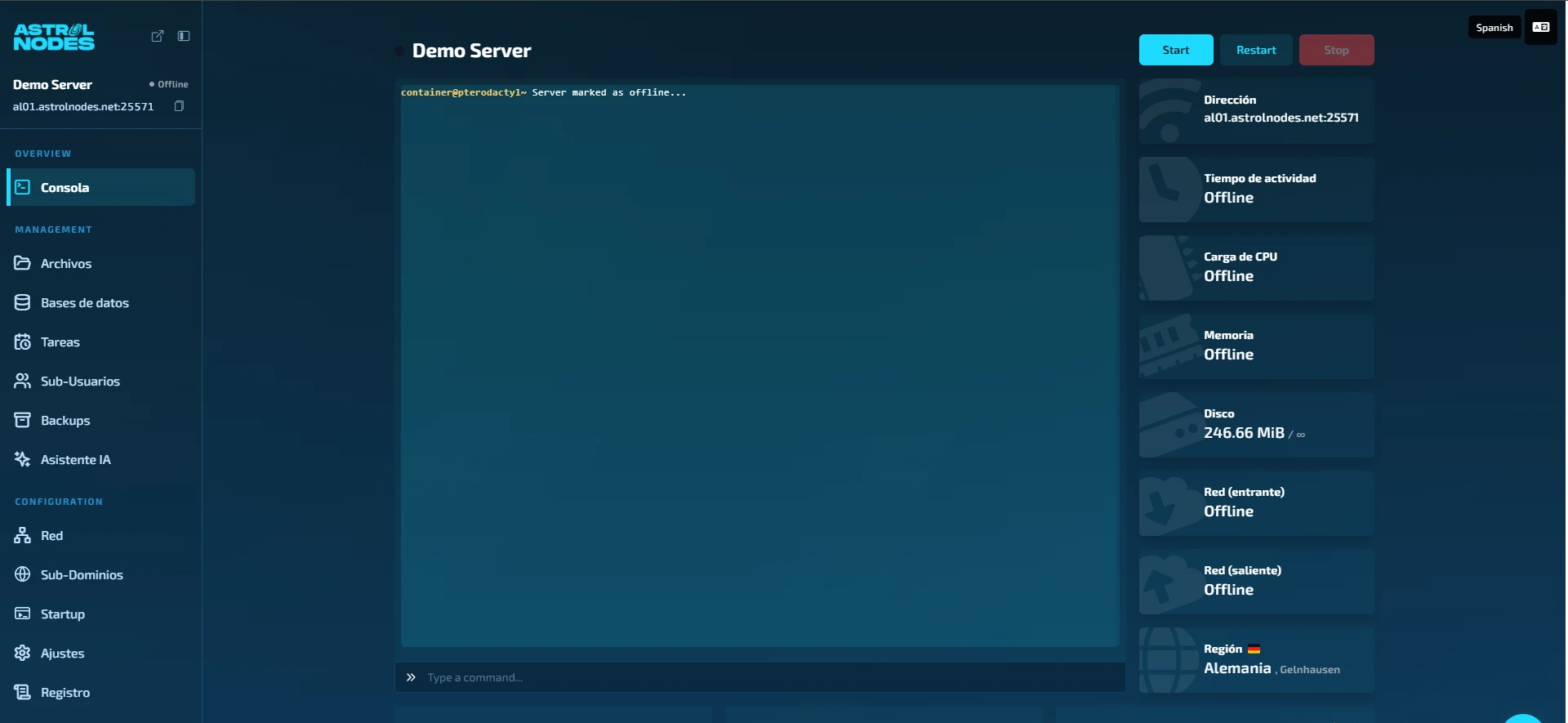
- In Console you'll see the Address card on the top right, with the IP and port. It also appears under the server name in the sidebar.
- Share it with your players exactly as shown.
In Minecraft
- Under Multiplayer → Add server, paste
IP:port. - If you have a dedicated IP, just the IP is enough (no port).
"It won't let me join"
- Make sure the server is Online (console green).
- Check your client version matches the server's.
- Verify you copied the port correctly.
Still not working? Open a ticket with your IP and the exact error.
Was this article helpful?
Need more help?
Open a ticket and the support team goes through it with you.