

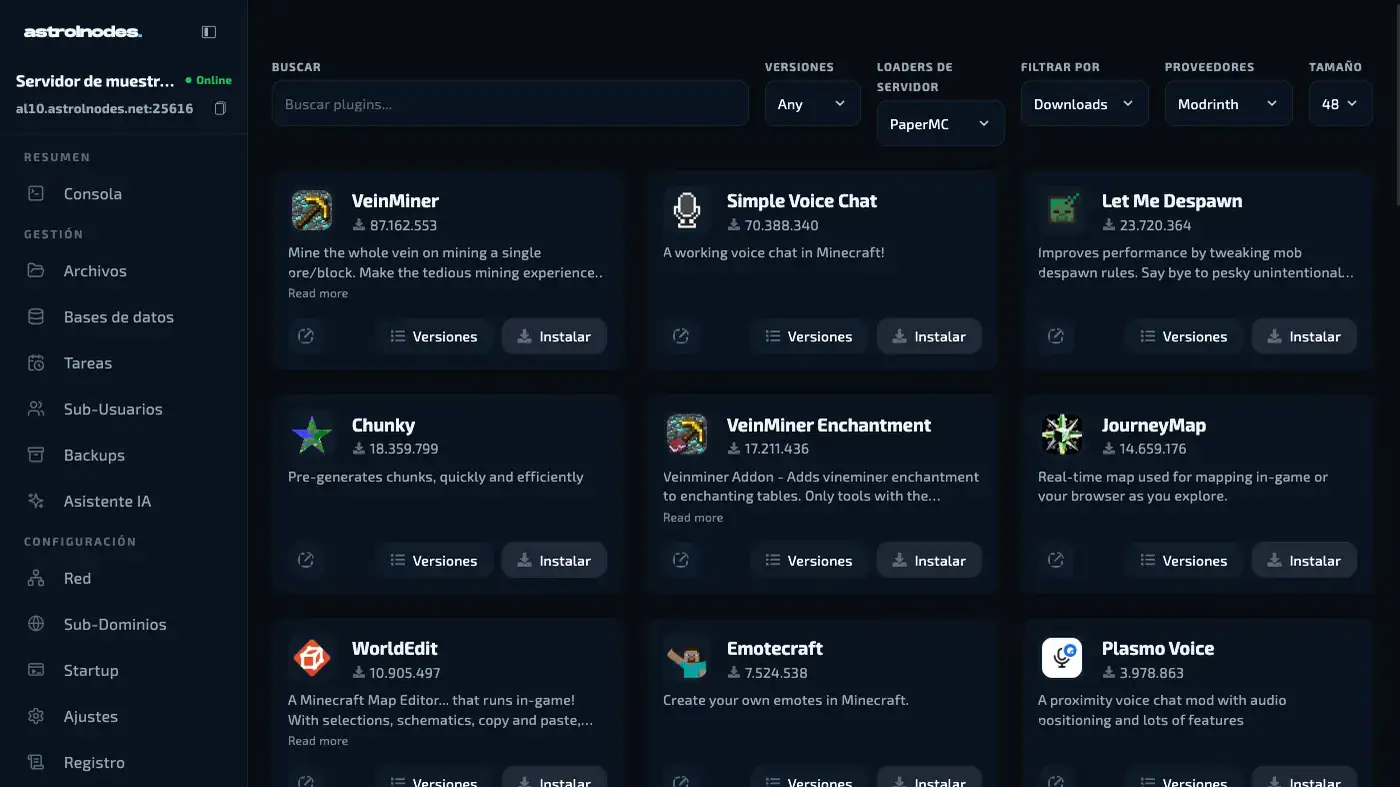
In short: on a Minecraft 26.2 server running Paper or Purpur, install the four essential plugins first: EssentialsX (core commands), LuckPerms (ranks and permissions), Vault (the bridge between economy and permissions) and WorldEdit (world editing). Then add the rest by category. All four are free.
- Protection: WorldGuard and CoreProtect.
- Economy: ShopGUI+ and Jobs Reborn.
- Performance: Spark, ClearLagg and Chunky.
- RPG progression: mcMMO and MythicMobs.
Updated: September 2026 — valid for Minecraft Java 26.2 (the current stable release) on Paper/Purpur.
Your server is up, Paper is installed and the world is generated. Everything works. But you log in, look around, and the place feels empty. No economy, no ranks, no region protection, none of the basic commands. It is a house with no furniture.
Plugins are what turn a generic server into a community with a personality of its own. The problem is there are thousands of them, and not all of them deserve your RAM.
This guide covers the essential ones by category, what each one actually does, and the order to install them in so you do not end up fighting conflicts and broken configs.
Team note: This guide assumes you run Paper or Purpur as your server software. Spigot still works with most of these, but Paper is the current standard (official PaperMC documentation, with active releases).
The essentials: install these before anything else
These four are not optional. They are the foundation everything else is built on. Without them, almost any other plugin you install will either work worse or not work at all.
EssentialsX
The most downloaded plugin in Minecraft history, and for good reason.
EssentialsX adds every command a server should have: /home, /spawn, /tp,
/kit, /msg, /ban, /mute, /warp and over 130 more administration and
quality-of-life commands.
Without it you have to set up each of those commands separately with different plugins. With it, they all come in one well integrated package.
Where to get it: EssentialsX on Modrinth
LuckPerms
The most powerful permissions and ranks system available for Minecraft servers.
LuckPerms defines what each player can do based on their rank: who can use /tp,
who can fly, who can build inside protected regions.
It ships with a web editor, which means you can configure every rank from your browser without touching a single config file by hand.
Where to get it: LuckPerms on Modrinth
Vault
Vault does nothing visible on its own. It is the bridge that connects your economy system to your ranks and permissions plugins.
Without Vault, economy plugins cannot talk to LuckPerms. Without Vault, shop plugins cannot tell whether a player has enough money. It is essential even though you never see it working.
Where to get it: Vault on SpigotMC
WorldEdit
WorldEdit is not for your players, it is for you as an admin. It lets you edit the world at scale: place blocks in bulk, copy and paste structures, fill entire areas, undo accidental changes.
It is the difference between building a spawn in 10 minutes and spending 3 hours on it.
Where to get it: WorldEdit on Modrinth
Pro tip: Install these four before any other plugin. Many of the plugins in the sections below list them as dependencies and will not start without them.
Protection and anticheat
Sooner or later someone will try to grief your server, or turn up with hacks. It is not a question of whether it happens, but when.
| Plugin | What it does |
|---|---|
| WorldGuard | Protects areas of the map. Nobody builds or destroys where they should not. |
| CoreProtect | Logs every block placed or broken. You can see who did what and roll it back. |
| GrimAC | Modern anticheat under active development. Detects fly, speed, killaura and more. |
| AntiRedstoneLag | Stops complex redstone circuits from bringing the server down. |
WorldGuard
The most widely used region protection plugin. You define regions on the map and control exactly what can happen inside them: whether people can build, whether PVP is on, whether mobs spawn, whether fire spreads.
It works hand in hand with WorldEdit to select those regions quickly.
Where to get it: WorldGuard on SpigotMC
CoreProtect
Picture someone griefing your spawn. Without CoreProtect you have no idea who did it and you rebuild it by hand. With CoreProtect you type one command, see exactly who broke what and when, and roll the whole thing back in seconds.
Where to get it: CoreProtect on Modrinth
Team note: WorldGuard + CoreProtect + LuckPerms is the standard security trio on any serious server. Get those three configured properly and you have covered around 90% of day-to-day administration problems.
Economy and shops
The economy is what keeps a server alive long term. With no economic system players farm, pile up resources and get bored. With one there are goals, there is trade, there is a reason to keep playing.
EssentialsX Economy (included in EssentialsX)
If you already installed EssentialsX, you already have a basic economy. Players have
a balance, you can hand out money with /eco give, and other plugins can read that
balance.
For most mid-sized servers that is enough.
ShopGUI+
Creates shops with a graphical interface where players buy and sell items using the server economy. Straightforward to configure, compatible with every EssentialsX format and fully customisable.
Where to get it: ShopGUI+ on SpigotMC
Jobs Reborn
Lets players pick a job — miner, lumberjack, hunter, builder — and earn money while doing those tasks in game.
It is one of the plugins that generates the most playtime, because it gives players a constant reason to stay online.
Where to get it: Jobs Reborn on SpigotMC
Minigames and gameplay
If you want your server to be more than plain survival, these add layers of content that bring players back.
| Plugin | What it adds |
|---|---|
| Citizens | NPCs with AI, dialogue and quests |
| MythicMobs | Custom mobs with special attacks |
| EpicBosses | Bosses with phases, abilities and rewards |
| mcMMO | RPG skill system for every activity |
mcMMO
One of the most popular plugins of all time. It adds a levelling system to every skill in the game: the more you mine, the better a miner you are and the bigger the bonuses you get. Same for combat, fishing, alchemy and smithing.
It gives the server a sense of progression that sits closer to an RPG than to vanilla Minecraft.
Where to get it: mcMMO on Modrinth
MythicMobs
With MythicMobs you can build anything from a zombie with armour and special abilities to an epic four-phase boss with spells, summons and unique drops.
Its editor is one of the most powerful in the Bukkit/Paper ecosystem and there is a huge community with hundreds of ready-made mobs to download.
Where to get it: MythicMobs on Modrinth
Pro tip: mcMMO + MythicMobs + Jobs Reborn is the classic stack for RPG or progression survival servers. Configure those three properly and you have weeks of content without creating anything else.
Communication and Discord
A common mistake: setting up the server and leaving the community Discord completely disconnected from the game. These two fix that.
DiscordSRV
Connects your server chat to a Discord channel in both directions: what is typed in game shows up in Discord and the other way round. It can also announce joins and leaves, and link Discord accounts to Minecraft usernames.
It is the most widely used communication bridge in the Paper/Spigot ecosystem.
Where to get it: DiscordSRV on Modrinth
PlaceholderAPI
It does nothing on its own, but it is the piece that moves data between plugins: it lets TAB, DiscordSRV, ShopGUI+ and others display dynamic information — rank, balance, mcMMO level — inside their messages and menus. If you plan to combine several plugins from this guide, you will need it sooner or later.
Where to get it: PlaceholderAPI on Modrinth
Optimisation and performance
This is the section most people ignore until the server starts struggling. Do not wait for that.
Spark
The standard performance profiler for Paper servers. It tells you exactly what is eating CPU, which plugin is causing lag and when it happens.
When the server is slow and you do not know why, Spark is the first thing you open.
Where to get it: Spark on Modrinth
ClearLagg
Clears dropped items and surplus entities on a timer. On busy servers, thousands of dropped items on the ground are one of the most common causes of lag.
Where to get it: ClearLagg on SpigotMC
Chunky
Pre-generates the world so chunks are not created on the fly while players explore. Generating chunks live is expensive, and it shows up as stutter for everyone online.
Where to get it: Chunky on Modrinth
Ranks and cosmetics
TAB
Rebuilds the tab list, the scoreboard and the name plates above players. Combined with LuckPerms and PlaceholderAPI, it shows each player's rank, ping and balance without installing three separate plugins.
Where to get it: TAB on SpigotMC
Do these work if some of my players are on Bedrock?
Yes, with a caveat. If you run Geyser to let Bedrock players join, most of the plugins in this guide work normally because they run server side.
What does not translate cleanly is anything based on complex graphical interfaces. Some GUI menus render differently on Bedrock, so test ShopGUI+ and any menu-heavy plugin with a Bedrock client before you rely on it.
The recommended stack by server size
Not every server needs the same thing. Here are three configurations matched to the size of the project:
| Server type | Recommended stack | Plan that runs it |
|---|---|---|
| Friends (2-10 players) | EssentialsX · LuckPerms · Vault · WorldGuard · CoreProtect | Coal — 4 GB DDR5, €5.99/mo |
| Mid-sized (10-50) | All of the above + Jobs Reborn · ShopGUI+ · mcMMO · Spark · ClearLagg | Gold — 8 GB DDR5, €12.99/mo |
| Public (50+) | All of the above + MythicMobs · TAB · Chunky · GrimAC · NametagEdit · DiscordSRV | Diamond — 12 GB DDR5, €18.99/mo |
Team note: The number of plugins has a direct effect on how much RAM the server needs. A full public-server stack wants 8-10 GB as a minimum, which is why the table pairs it with the 12 GB plan rather than the 8 GB one. Every plan runs on a Ryzen 9 9950X with DDR5 and NVMe, and if you outgrow yours you can move up later.
How many plugins should I start with?
The honest answer: with the four essentials you already have a working server.
Every plugin on top of that is another layer of content and experience, but it is also more RAM, more configuration and more things that can conflict if they are not set up properly.
Our recommendation: start with the essentials, confirm everything works, then add one at a time. Do not install 20 plugins on the same day you open the server.
And if at some point the server feels slow or a plugin misbehaves, you know what to do — open Spark and look at what is actually happening.
Frequently asked questions
Are the plugins in this guide free? Yes. Every plugin mentioned here is free and downloadable from Modrinth or SpigotMC. Premium versions of some of them exist, but none of the recommendations above require paying for anything.
Do these plugins work on Spigot? Most of them do. We still recommend Paper because it includes performance optimisations Spigot does not have, and some plugins on this list — GrimAC among them — are built specifically for Paper.
Do I have to restart the server every time I install a plugin?
Yes. Minecraft plugins load when the server boots, so a restart is required after
copying the .jar into the plugins/ folder. A reload is not enough.
Where do I put the .jar files?
In the plugins/ folder of your server. On Astrol Nodes you can drag them straight
into the file manager in the panel, or upload them over SFTP.
Not sure how to install one of these plugins, or need a hand with the configuration? Open a support ticket and we will help you out. You can also drop by our Discord, where the community answers questions every day.
Esta guía también está disponible en español.